Why Hiring an Experienced Web Developer Is Crucial for Website Success

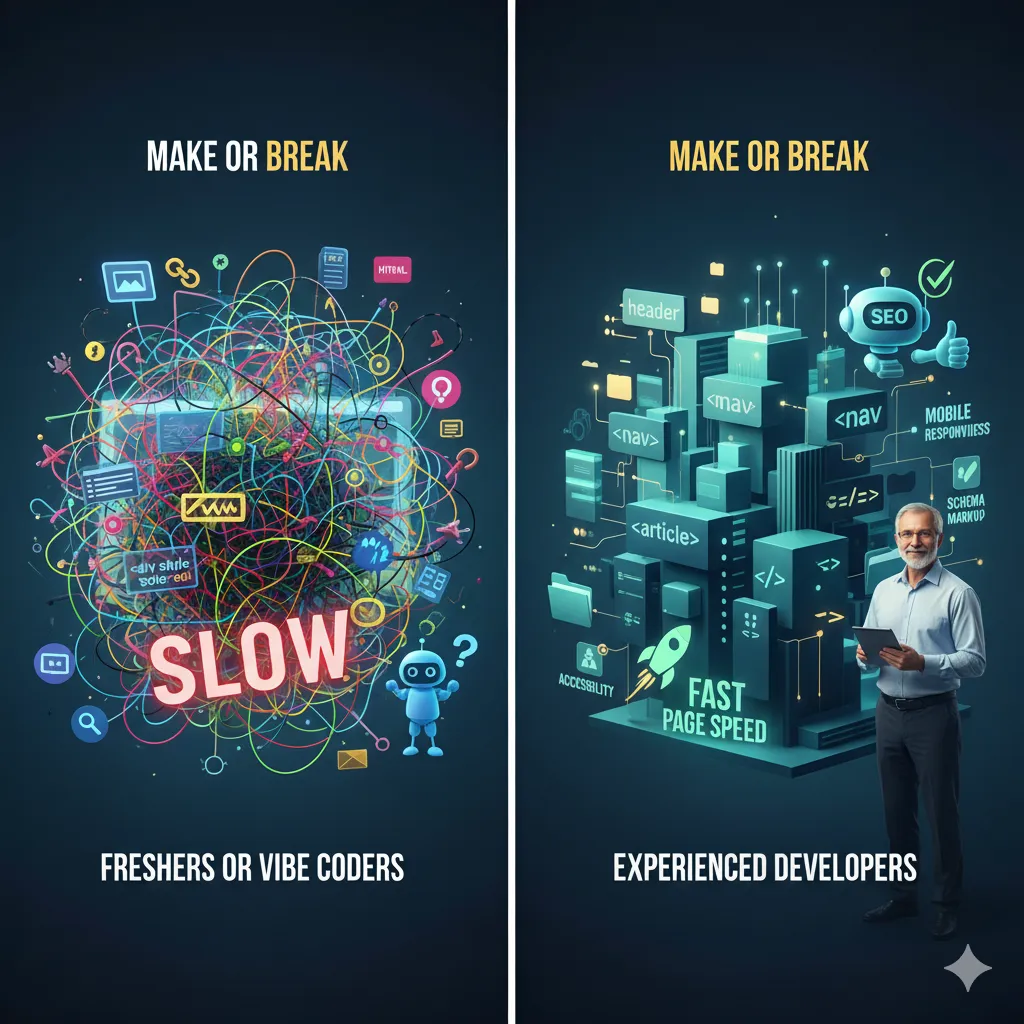
As a Senior Web Developer and Team Lead with years of experience in ShopifyWordPress, and ReactJS, I’ve seen a clear difference between websites built by experienced developers and those made by freshers or vibe coders. Often, beginners focus on visual appeal and quick delivery but overlook key factors like SEO structurepage speedHTML semanticsimage optimization, and tag hierarchy. In this blog, we’ll explore why hiring an experienced developer can make or break your website, and how technical expertise directly impacts your brand’s online performance.

Experienced Web Developer Importance

Why an Experienced Developer Matters

Building a website is more than just arranging design elements — it’s about crafting a digital foundation that supports performanceSEO, and user trust. When websites are created by inexperienced developers, they often suffer from:

  • Slow Page Speed: Heavy images, unoptimized scripts, and unused code lead to slow load times, increasing bounce rates.
  • Poor SEO Visibility: Incorrect use of <h1>, missing alt texts, and bad HTML structure prevent search engines from ranking pages effectively.
  • Inconsistent User Experience: Broken layouts, unresponsive designs, and poor accessibility make users leave early.
  • Technical Debt: Messy or hard-to-maintain code causes issues when scaling or adding new features.

What Experienced Developers Do Differently

A professional web developer understands that a good website must look beautiful and perform beautifully. Here’s how their approach stands out:

1. Proper HTML Structure and Semantics

Experienced developers use correct HTML tags — <header><nav><main><footer> — ensuring both accessibility and SEO are maintained. Semantic HTML helps search engines understand content hierarchy, improving ranking and readability.

2. Optimized Performance and Page Speed

They optimize images (using WebP or AVIF formats), implement lazy loading, and minimize CSS/JS to reduce load time. They also track Core Web Vitals (LCP, CLS, INP) to ensure the website performs well on both desktop and mobile.

3. SEO-Ready Codebase

From meta descriptions to schema markup and clean URLs, experienced developers structure websites for better organic visibility. They know that SEO begins in the code — not after launch.

4. Accessibility and Usability

An experienced developer ensures the site is usable for all audiences — including those relying on assistive technologies. Proper alt textscolor contrast, and keyboard navigation improve user experience and compliance.

5. Maintainability and Scalability

Professionals write clean, modular, and documented code that’s easy to maintain. They plan folder structures, naming conventions, and version control (Git) for smooth collaboration and future updates.

Common Mistakes by Fresher Developers

During code reviews and interviews, I’ve noticed recurring mistakes that slow down websites or affect SEO:

  • Overusing <div> tags instead of semantic HTML.
  • Skipping alt attributes for images and meta tags for pages.
  • Using large, uncompressed images that reduce site speed.
  • Ignoring mobile responsiveness and cross-browser testing.
  • Relying heavily on plugins or external libraries without optimization.

How an Experienced Developer Benefits Your Business

Hiring a skilled developer is not just about better design — it’s about business growth. Here’s how expertise directly impacts performance and conversions:

  • Higher SEO Rankings: Clean code and correct tag usage help Google understand and rank your website better.
  • Better User Retention: Fast, responsive websites keep visitors engaged and build trust.
  • Reduced Maintenance Cost: Future updates become smoother, reducing long-term technical debt.
  • Improved Conversion Rates: A faster, optimized site increases leads and sales.
  • Professional Reputation: A polished website reflects brand credibility and boosts client confidence.

Tips for Fresher Developers to Improve

If you’re a fresher trying to grow as a web developer, here are some actionable tips:

1. Learn the Fundamentals

Focus on HTML semanticsCSS optimization, and JavaScript basics. Frameworks change, but strong fundamentals make you adaptable.

2. Understand SEO Basics

Learn how search engines work. Use proper meta tagsalt texts, and heading hierarchy (H1–H6). This knowledge will make your code SEO-friendly by design.

3. Optimize for Performance

Always compress images, minify CSS/JS, and use browser caching. Tools like Google Lighthouse and PageSpeed Insights help analyze performance issues.

4. Stay Updated with Web Standards

Follow blogs and communities that share insights on performanceCore Web Vitals, and SEO. Implement small improvements regularly to stay ahead.

5. Learn from Code Reviews

Accept feedback from senior developers. Code reviews are your best chance to understand real-world standards and improve faster.

Final Thoughts

A website is the first impression of your business. When built by an experienced developer, it performs better, ranks higher, and lasts longer. Beginners may create something that “works,” but professionals build something that performs. If you want your business website to be fast, SEO-friendly, and scalable — experience matters.

Looking to build or revamp your website? Reach out — I’ll help you create a fast, SEO-optimized, and scalable web presence.
Why Fresher Developers Learn Tailwind CSS but Switch to Bootstrap

As a Senior Web Developer and Team Lead with over seven years of experience specializing in ShopifyReactJS, and WordPress, I’ve mentored and interviewed countless fresher developers and seasoned professionals. A recurring pattern emerges: many freshers dive into Tailwind CSS during their learning phase, drawn to its flexibility and modern appeal, only to pivot to Bootstrap once they enter the workforce. I experienced this myself—starting with Tailwind’s utility classes to build sleek personal projects, I later adopted Bootstrap to meet workplace demands. Why does this career transition occur? In this blog, I’ll unpack the reasons behind this shift in front-end development, analyze the strengths of both CSS frameworks, and offer practical tips to help freshers thrive in the competitive job market.

Bootstrap and Tailwind CSS frameworks for web design

Why Freshers Love Tailwind CSS

Tailwind CSS, launched in 2017, has revolutionized web design with its utility-first approach, allowing developers to style directly in HTML using pre-defined utility classes (e.g., bg-blue-500p-4). This eliminates the need for extensive raw CSS, making it a game-changer for fresher developers. Here’s why Tailwind is a favorite among beginners:

  • Portfolio Building: Tailwind empowers freshers to create pixel-perfect designs that stand out in portfolios. For example, I used Tailwind to build a responsive e-commerce mockup with custom animations, which impressed recruiters during my early job applications.
  • Modern Resources: Online tutorials and bootcamps heavily feature Tailwind, especially its seamless integration with JavaScript frameworks like ReactVue, and Next.js. This aligns with the modern web development stack, making it accessible for beginners.
  • Web Performance: Tailwind’s purge feature removes unused styles, resulting in lightweight, high-performing websites. For instance, a portfolio site I built with Tailwind had a CSS bundle under 10KB, boosting web performance and SEO.
  • Creative Freedom: Unlike traditional frameworks, Tailwind doesn’t impose pre-designed components, allowing freshers to craft unique custom UIs. This flexibility is ideal for experimenting with interactive web apps, such as dashboards or landing pages.

As a fresher, I was drawn to Tailwind’s ability to quickly prototype responsive designs without wrestling with CSS. It felt like a superpower for building visually stunning personal projects, from single-page apps to portfolio showcases.

Why Workplaces Choose Bootstrap

Bootstrap, introduced in 2011 by Twitter, remains a cornerstone of enterprise projects due to its robust ecosystem of ready-made components (e.g., navbars, modals, carousels). Its focus on development speed and consistency makes it a go-to choice for teams, prompting freshers to switch. Here’s why Bootstrap dominates professional settings:

  • Rapid Prototyping: Bootstrap’s pre-built components enable developers to deliver minimum viable products (MVPs) quickly. In my early career, I used Bootstrap to spin up a Shopify storefront in days, meeting tight client deadlines.
  • Legacy Systems: Bootstrap’s extensive browser support, including older browsers like Internet Explorer, makes it indispensable for legacy projects. I encountered this on a government portal project where Tailwind’s modern approach wasn’t viable.
  • Learning Curve: Bootstrap’s comprehensive documentation and familiar grid system make it easy for teams to onboard new developers. This is critical in fast-paced team workflows where consistency matters.
  • Standardization: Bootstrap’s predefined styles ensure uniformity across large teams. For example, in a WordPress project, Bootstrap’s component library helped maintain a cohesive look across multiple developers’ contributions.

While Tailwind offers flexibility, Bootstrap’s structure and speed make it a practical choice for enterprise environments. I shifted to Bootstrap early in my career to align with team needs, a move many freshers replicate.

What Interviews Reveal

Over the years, my interviews with fresher developers and industry professionals have shed light on this transition. Here are key insights:

  • Fresher Struggles: A recent graduate shared, “I loved Tailwind for my portfolio—it made my React app look unique. But my first job required Bootstrap to churn out client dashboards quickly.” This reflects the pressure to prioritize speed in professional settings.
  • Expert Tips: A senior developer I mentored advised, “Bootstrap gets your foot in the door because it’s everywhere; Tailwind CSS keeps you relevant by letting you innovate.” This dual approach is key to long-term success.
  • Hiring Trends: Job listings for ShopifyWordPress, or Drupal roles frequently list Bootstrap as a requirement. A quick scan of job boards like LinkedIn shows over 60% of front-end roles mentioning Bootstrap, compared to 20% for Tailwind.
  • Team Dynamics: A team lead I spoke with noted, “Bootstrap’s conventions reduce onboarding time for freshers, which is critical for Agile sprints.” This explains why companies favor it for collaborative projects.

My own transition to Bootstrap for a Shopify team echoed these sentiments. The need for development speed and compatibility with existing systems outweighed Tailwind’s customization benefits.

Tips for Fresher Developers

Navigating the job market as a fresher requires balancing personal growth with employer expectations. Here’s an expanded guide to mastering both CSS frameworks and building a standout career:

1. Start with Bootstrap for Job Readiness

Begin with Bootstrap to align with industry demands. Focus on its grid system, ready-made components, and theming capabilities. Practice by building a WordPress blog or a landing page with Bootstrap’s navbar and carousel. This will prepare you for roles requiring rapid delivery, such as Shopify or Drupal development.

2. Add Tailwind CSS for Portfolio Excellence

Use Tailwind CSS to create visually striking portfolio projects that showcase your creativity. For example, build a React dashboard with Tailwind’s utility classes, incorporating animations and responsive layouts. These projects will differentiate you in interviews, highlighting your ability to craft pixel-perfect designs.

3. Master CSS Fundamentals

Frameworks are tools, not substitutes for core skills. Deepen your understanding of CSS concepts like flexbox, grid, media queries, and responsive design. For instance, practice recreating a Bootstrap component using raw CSS to grasp its inner workings. This versatility will make you adaptable to any framework.

4. Stay Updated with Industry Trends

Follow developer tools and communities on platforms like X to stay informed about hiring trends and framework updates. Engage with posts about front-end development to learn which skills are in demand. For example, recent X discussions highlight growing interest in Tailwind for startups, while Bootstrap remains king in enterprises.

5. Experiment with Hybrid Approaches

Explore combining Bootstrap and Tailwind in a single project to leverage their strengths. For instance, use Bootstrap’s grid for layout consistency and Tailwind for custom styling. I tested this approach on a React app, achieving both speed and uniqueness, which impressed a client during a freelance gig.

Final Thoughts

The shift from Tailwind CSS to Bootstrap reflects a practical balance between customization and development speed. Like many freshers, I moved from Tailwind’s creative freedom to Bootstrap’s efficiency to meet workplace needs. To succeed, master Bootstrap for the job market, leverage Tailwind for portfolio building, and ground yourself in CSS fundamentals for long-term growth. As the front-end development landscape evolves, staying adaptable is key. Have questions about ShopifyReact, or breaking into the industry? Reach out—I’m happy to help!